Golf scorecard app with no account: how it works and what to check
Yes, some golf scorecard apps work without an account. Golf Caddie has no sign-up: you open it and start a round. Your rounds are stored in your own iCloud account, the developer collects no data, and its App Store privacy label says “Data Not Collected.” You can export every round as a spreadsheet.
| Golf Caddie and your data | |
|---|---|
| Account or sign-up | None |
| App Store privacy label | Data Not Collected |
| Where rounds are stored | Your private iCloud database (Apple CloudKit) |
| Syncs between iPhone and Apple Watch | Yes, through iCloud |
| Export | Every round as a CSV spreadsheet (free) |
| Analytics or crash reports | None |
Is there a golf scorecard app that doesn’t need an account?
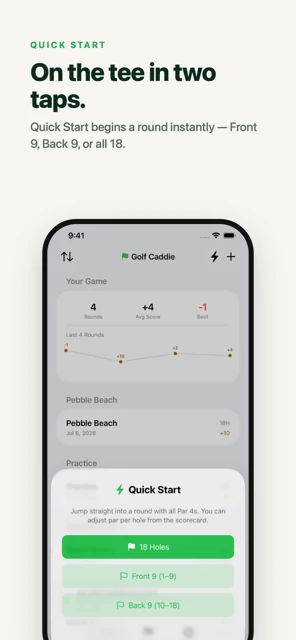
Yes. Scorecard-first apps can work without sign-up because they don’t need a server: your scores stay on your devices and in your own cloud storage. Golf Caddie is one of them. You open it, start a round, and score. There’s no email, password, or profile to set up.
Apps that do require an account usually need it for a reason, so it’s worth knowing what those reasons are before deciding whether you need one.
Why do most golf apps ask you to sign up?
Most popular golf apps are built around online services: handicap posting, friends and leaderboards, course maps and GPS data, and subscriptions that sync across devices. Each of those needs an account on the company’s servers. If you only want to keep score, you’re signing up for services you won’t use.
An account can be worth it if you want:
- An official handicap. Posting scores usually goes through a golf association or a handicap app tied to one.
- Social features. Sharing rounds with friends, leagues, and leaderboards.
- Course data. GPS yardages and hole maps that load from the company’s database.
Where are your scores stored without an account?
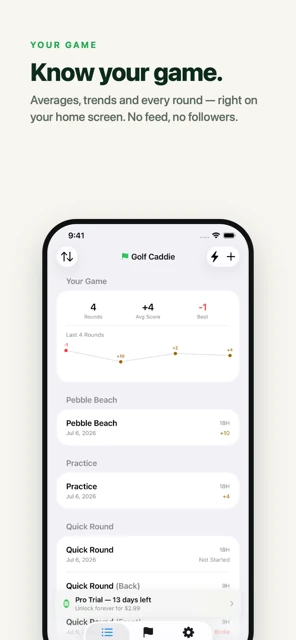
In Golf Caddie, rounds are stored in your own private iCloud database using Apple’s CloudKit, the iCloud storage service built for apps. The developer can’t see them. iCloud also keeps your iPhone and Apple Watch in sync and makes your rounds available on a new iPhone signed in to the same Apple ID.
That’s the trade-off without a company account: your data lives with Apple, in your iCloud account, instead of on the app maker’s servers. For most golfers that’s simpler and more private. Details are in the privacy policy.
How do you move your rounds to a new iPhone?
Sign in to the new iPhone with the same Apple ID and iCloud, then install Golf Caddie. Your rounds come back from your iCloud account, and your trial status follows you because it’s stored in iCloud too. If you bought Pro, tap Restore Purchase in the app’s Settings. There’s no Golf Caddie login to remember.
Step by step:
- Before you switch (optional): export a backup in Settings → Your Data → Export Rounds (CSV), and save it to Files or email it to yourself.
- On the new iPhone: sign in with the same Apple ID, make sure iCloud is on, and install Golf Caddie from the App Store.
- Give it a moment: rounds sync from iCloud in the background; new or large histories can take a little while to appear.
- Pro: open Settings in Golf Caddie and tap Restore Purchase. Pro is tied to your Apple ID, so you don’t pay again.
- Apple Watch: install Golf Caddie on the watch. Pro access comes over from your iPhone.
How can you check an app’s privacy before you download it?
Scroll to “App Privacy” on the app’s App Store page before you download it. Apple requires every app to show what data it collects, in four labels: Data Used to Track You, Data Linked to You, Data Not Linked to You, and Data Not Collected. “Data Not Collected” means the developer says the app collects no data at all.
A quick checklist for any golf app:
- App Privacy label. What’s collected, and is any of it linked to you? Apple explains the labels on its privacy labels page.
- Sign-up wall. Can you score a round before creating an account?
- Where your data lives. Your iCloud, or the company’s servers?
- Export. Can you get your rounds out if you stop using the app?
Can you back up or export your rounds?
Yes. Your rounds are already backed up in iCloud, and you can also export them yourself. In Golf Caddie, go to Settings → Your Data → Export Rounds (CSV) and send the file to Files, Mail, or AirDrop. The spreadsheet has one row per hole: date, course, par, strokes, putts, penalties, and score vs par.
The export is free and the file only goes where you send it. You can open it in Numbers, Excel, or Google Sheets, or share it with an AI assistant and ask where you’re losing strokes. Want to know what to look for? See how to track putts.
Frequently asked questions
Does Golf Caddie collect any data?
No. Its App Store privacy label says “Data Not Collected,” and the privacy policy says it collects no personal information, usage data, analytics, or crash reports. Purchases are handled by Apple.
Do I still need an Apple ID?
You need an Apple ID to download any app from the App Store. Golf Caddie doesn’t ask you to create a separate account, and it uses your existing iCloud account to store and sync rounds.
Can I delete my rounds?
Yes. In Golf Caddie, swipe left on a round in your rounds list and tap Delete; the app asks you to confirm first. You can also manage the app’s iCloud data from your iPhone’s iCloud settings.
Will I lose my Pro unlock if I change phones?
No. Pro is a one-time App Store purchase tied to your Apple ID. On a new iPhone or Apple Watch, tap Restore Purchase in Golf Caddie’s Settings.