Golf Caddie - Simple Scorecard

The simplest way to track your golf round on iPhone, Apple Watch, or with just your voice.

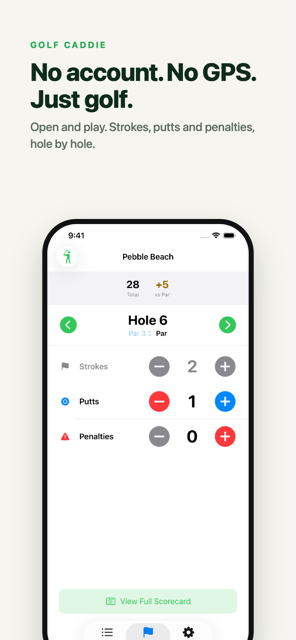
No account. No GPS. No social feed. Just open and play.

Download on the App Store Request Beta Access

Why Golfers Love Golf Caddie

Simple Scorecard
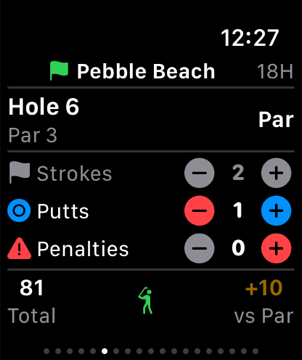
Track strokes, putts, and penalties per hole with one tap.
Score vs Par
Birdie, Bogey, Eagle and more — see how you stack up every hole.
Quick Start
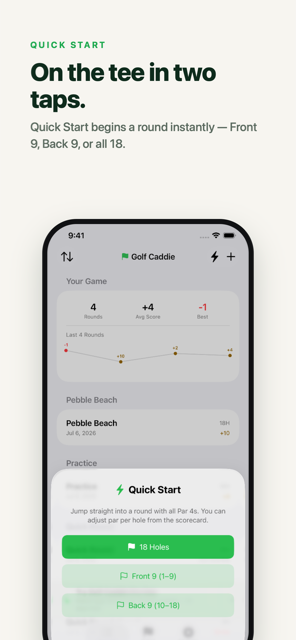
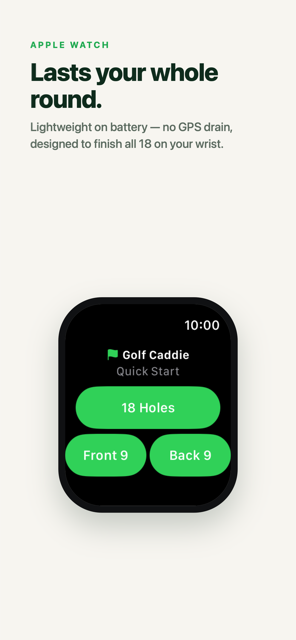
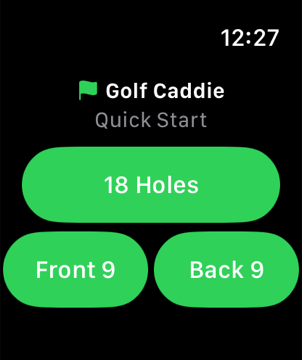
Front 9, Back 9, or 18 holes — start scoring in seconds, no setup needed.
Custom Pars
Set par for any course layout, any hole.
Front 9 / Back 9
Play just the front or back nine. Holes, par, and score all adjust automatically.
Share Scorecard
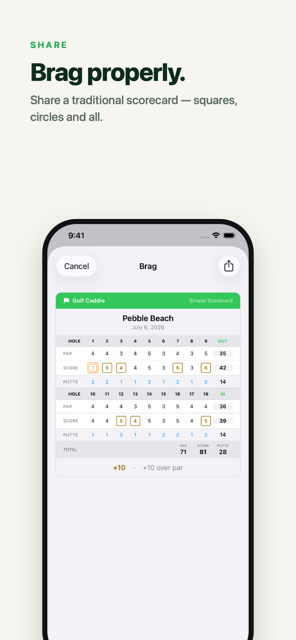
Export a clean scorecard image with traditional golf marks — eagle, birdie, bogey and more.
Apple WatchPro
Lightweight scoring from your wrist. Won't drain your battery.
SiriPro
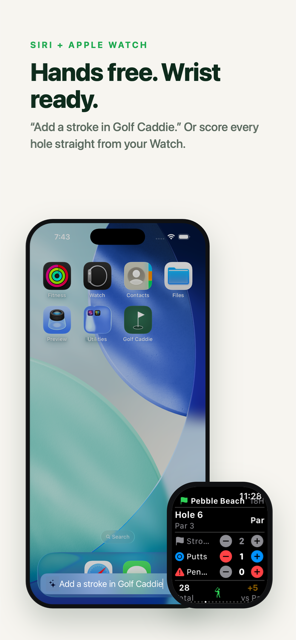
Add strokes, advance holes, and check your score hands-free.
Live ActivityPro
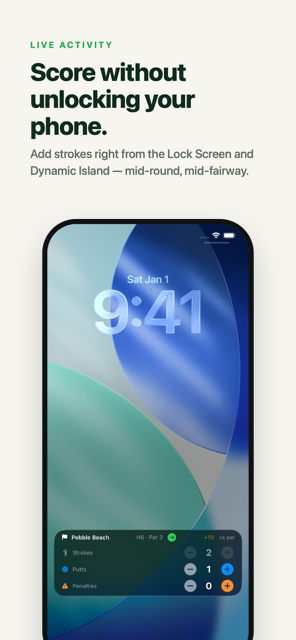
Score from the Lock Screen and Dynamic Island — no need to unlock your phone.
Club Distances
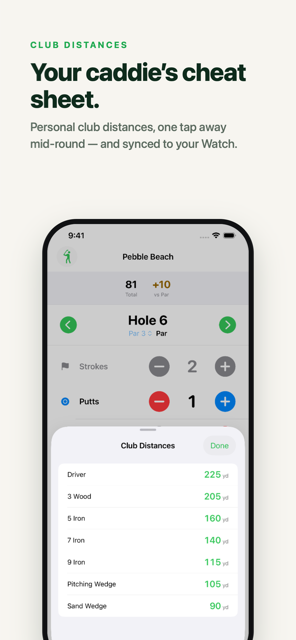
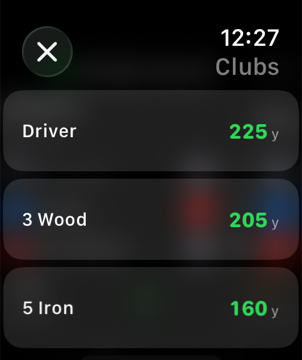
Set your yardages once and check them mid-round on iPhone or Apple Watch.
Apple Health
Log rounds as a Golf workout, with optional live heart rate and calories on your Watch.
Your Game Stats
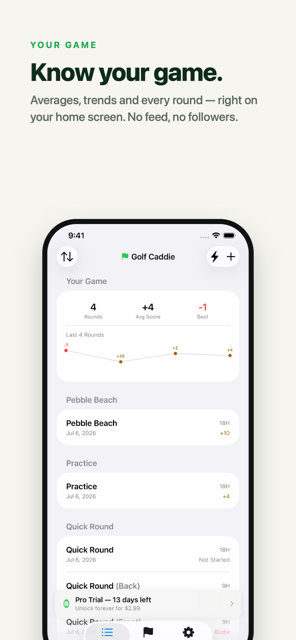
Scoring averages and trends across your rounds, right on the home screen.
Free 14-Day Trial
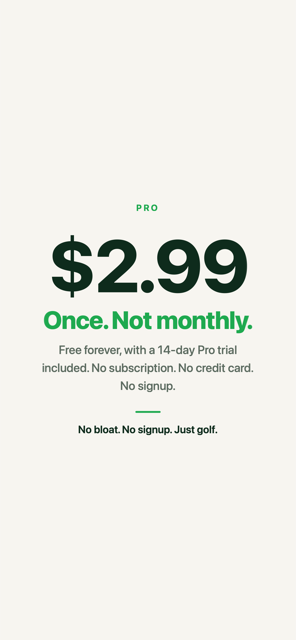
Try Pro free — no credit card required. Unlock forever for just $2.99.
🎙️

Score hands-free with Siri

No need to take your phone out. Just say it.

"Start a 9 hole round in Golf Caddie"
"Start a back 9 round in Golf Caddie"
"Add a stroke in Golf Caddie"
"Add a putt in Golf Caddie"
"Add a penalty in Golf Caddie"
"Next hole in Golf Caddie"
"What hole am I on in Golf Caddie?"
"What's my round score in Golf Caddie?"
"What's my hole score in Golf Caddie?"

Works on iPhone and Apple Watch · Requires active Pro trial or purchase

iPhone Screenshots

Golf Caddie Live Activity on the Lock Screen Golf Caddie hands-free scoring with Siri and Apple Watch Golf Caddie traditional scorecard share Golf Caddie simple scorecard, no account or GPS Golf Caddie Quick Start rounds Golf Caddie Your Game stats dashboard Golf Caddie Club Distances cheat sheet Golf Caddie Apple Watch battery-friendly scoring Golf Caddie Pro is a one-time $2.99, not a subscription

Apple Watch Screenshots

Golf Caddie Apple Watch scoring screen Golf Caddie Apple Watch club distances Golf Caddie Apple Watch Quick Start

Help & Tips

Quick Start Rounds

  • Start a round instantly with all holes set to Par 4.
  • Choose Front 9 (holes 1–9), 18 Holes, or Back 9 (holes 10–18).
  • Quick Start is available on both iPhone and Apple Watch.
  • You can also say "Start a back 9 round in Golf Caddie" to Siri.
  • Perfect for casual rounds or when you don't want to enter course details.
🏁

Starting a Round

  • Tap Start Round on the home screen.
  • Enter the course name and choose 9 or 18 holes.
  • Your round saves automatically as you play.
📋

Managing Rounds

  • From the home screen, manage any saved round.
  • Sort rounds by date or course name using the menu at the top.
  • Swipe right to show the Copy and Rename buttons.
  • Swipe left to show the Delete button.
  • Copying creates a new round with the same setup.
  • Deleting always shows a confirmation first.
✏️

Tracking Your Score

  • Strokes are full swings before the green.
  • Putts are strokes taken on the green.
  • Penalties include lost balls, OB, water hazards, etc.
  • You can change any score at any time.

Using the Apple Watch

  • Swipe left or right to move between holes.
  • Tap +/– to update strokes, putts, or penalties.
  • Once you add your first putt, strokes lock to prevent mistakes.
  • Your watch and phone stay in sync as you play.
🔄

How Syncing Works

  • Your iPhone and Apple Watch update each other automatically.
  • Whichever device you used most recently updates the other.
  • If something looks out of sync, opening the iPhone app usually fixes it.
  • New rounds may take a moment to appear on the watch.
🕐

Editing Previous Holes

  • Go back and fix any hole at any time.
  • Helpful if you forgot a penalty or mis‑counted.
  • The watch may show a small reminder if you're editing an older hole.

Finishing a Round

  • A round is complete once all holes have scores.
  • You can still make changes after finishing.
  • Tap Card View in the summary to see a traditional scorecard layout.
  • Tap Share to export a high-res scorecard image — traditional golf marks included.
  • Your rounds appear in the history on the home screen.
⚠️

Troubleshooting

  • If the watch doesn't update, open the iPhone app.
  • Make sure Bluetooth is turned on.
  • Restarting the watch app can help if things get stuck.
  • If the watch shows No Active Round, start a round on your iPhone.
  • If you changed phones or watches, tap Restore Purchase in Settings.
🎙️

Using Siri

  • "Start a 9 hole round" — starts a Quick Start round (supports Front 9, Back 9, or 18 holes).
  • "Add a stroke" — increments strokes on the current hole.
  • "Add a putt" — increments putts on the current hole.
  • "Add a penalty" — increments penalties on the current hole.
  • "Next hole" — advances to the next hole and syncs to Watch.
  • "What hole am I on?" — reports hole number, strokes, and score term.
  • "What's my round score?" — reports gross total and over/under par.
  • "What's my hole score?" — reports using golf terms (Eagle, Birdie, Bogey, etc.).
  • All intents run in the background without opening the app and sync to Watch immediately.
  • Requires active Pro trial or purchase.
💳

Purchases & Trial

  • Apple Watch, Siri, and Live Activity are part of Golf Caddie Pro.
  • On first launch you'll see a welcome sheet — tap Start to begin your free 14-day trial, no credit card required.
  • If you're not ready, tap Not Now — you can start it anytime from the home screen banner, and you'll be re-offered after a week.
  • After the trial, unlock Pro forever for a one-time $2.99. No subscription, ever.
  • Restore purchases anytime from Settings.
🔒

Live Activity Pro

  • Once a round starts, it appears on your Lock Screen and in the Dynamic Island.
  • Tap +/– right there to update strokes, putts, or penalties — no unlock needed.
  • Strokes lock once you enter a putt, matching the scorecard rules.
  • The next hole button advances your scorecard, Live Activity, and Watch together.
  • Taps made while the app is closed are saved the next time you open it.
  • The Live Activity closes automatically when the round ends.

Club Distances

  • Set up yardages once in Settings — 14 standard clubs are pre-seeded, or add your own.
  • Check them mid-round from the scorecard toolbar on iPhone, or the totals row on Apple Watch.
  • It's a read-only cheat sheet, so it never gets in the way of scoring.
❤️

Apple Health

  • Turn it on in Settings — off by default.
  • Save Summary writes a Golf workout to Health when your round ends.
  • Full Session runs a live Watch workout during your round, tracking heart rate, calories, and steps.
📊

Your Game Stats

  • The Rounds tab shows your scoring averages and trends over time.
  • Updates automatically as you finish more rounds — no setup needed.

Have a question, found a bug, or want to suggest something?

Contact Support

Privacy

We collect no personal data. View the full privacy policy:

Privacy Policy